
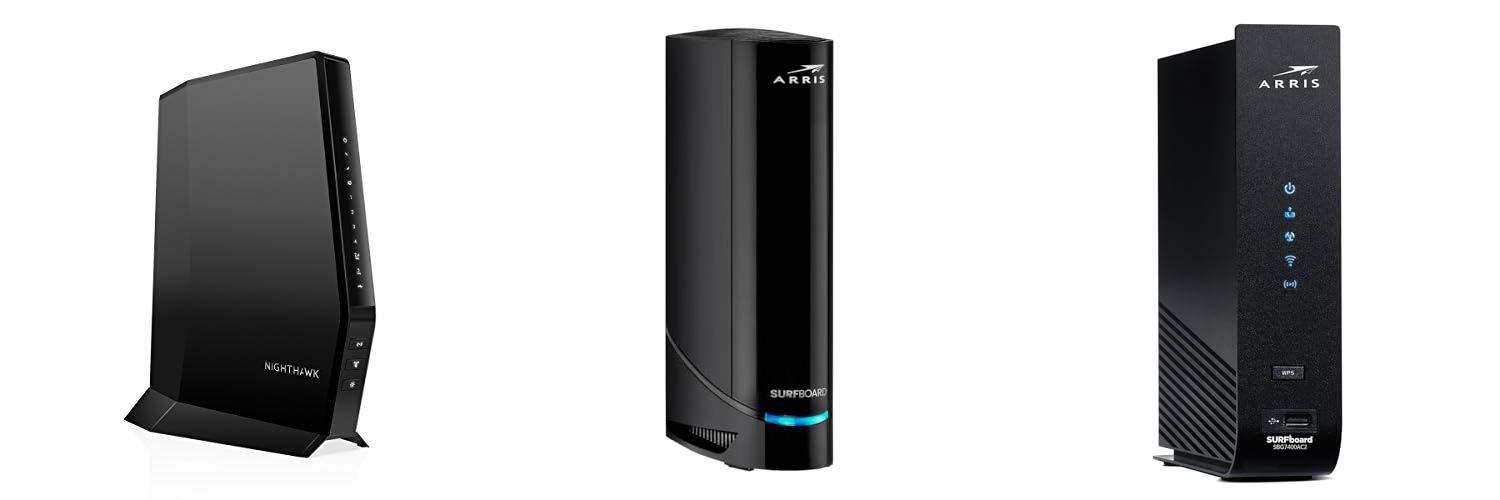
Imagine this: you’re finally ready to stream your favorite show, but your internet keeps buffering. Or maybe you’re trying to download a huge game, and it’s taking forever. Frustrating, right? You might be dealing with a modem and router that aren’t working well together, or perhaps you’re just tired of having two separate boxes taking up space.
Choosing a modem router combo, also called a gateway, can feel like a puzzle. There are so many brands, speeds, and features to consider. It’s easy to get overwhelmed and pick something that doesn’t quite fit your needs, leaving you with slow internet or confusing setup. You want a device that’s easy to use, reliable, and gives you the best internet experience without costing a fortune.
But don’t worry! In this post, we’ll break down everything you need to know about modem router combos. We’ll help you understand what they are, what to look for, and how to pick the perfect one for your home. By the end, you’ll feel confident in your choice and ready to enjoy faster, more stable internet. Let’s dive in and simplify your online world!
Our Top 5 Modem Router Combo Recommendations at a Glance
Top 5 Modem Router Combo Detailed Reviews
1. NETGEAR Nighthawk Modem Router Combo (CAX30) DOCSIS 3.1 Cable Modem and WiFi 6 Router – AX2700 2.7 Gbps – Compatible with Xfinity

Rating: 9.3/10
Tired of slow internet and renting expensive equipment? The NETGEAR Nighthawk Modem Router Combo (CAX30) is here to help. This all-in-one device combines a super-fast DOCSIS 3.1 cable modem with a powerful WiFi 6 router. It’s designed to give you lightning-fast internet speeds, up to 2.7 Gbps, and a strong WiFi signal that covers up to 2,000 square feet. This means fewer dead spots and smoother streaming, gaming, and browsing for all your devices.
What We Like:
- Works with major cable companies like Xfinity, Spectrum, and Cox.
- Saves you money by replacing your modem and router rental fees, potentially saving you up to $168 per year.
- Offers blazing-fast WiFi 6 speeds (AX2700) for up to 2.7 Gbps, perfect for many devices at once.
- Provides excellent coverage for homes up to 2,000 sq. ft., supporting up to 25 devices.
- Comes with four 1 Gig Ethernet ports for wired connections and a USB 3.0 port for storage.
- Includes NETGEAR Armor for strong online security, protecting you from hackers and malware.
- Easy setup and management through the user-friendly Nighthawk app.
- DOCSIS 3.1 technology and 32×8 channel bonding ensure you get the most out of your internet plan.
What Could Be Improved:
- Not compatible with DSL internet providers or certain phone services.
- Best suited for cable internet plans up to 2Gbps; might not be ideal for higher speeds.
If you’re looking to upgrade your home internet experience and ditch those monthly rental fees, the NETGEAR Nighthawk CAX30 is a fantastic option. It provides speed, coverage, and security all in one neat package.
2. ARRIS (G18) – Cable Modem Router Combo – Fast DOCSIS 3.1 Multi-Gigabit WiFi 6 (AX1800)

Rating: 9.3/10
Upgrade your home internet with the ARRIS G18 Cable Modem Router Combo. This device brings you super-fast speeds and strong Wi-Fi coverage, making it ideal for streaming movies, playing online games, and browsing the web without any interruptions. It’s a reliable choice that millions of people trust for their internet needs.
What We Like:
- Fast, Reliable Connection: Enjoy smooth streaming and gaming thanks to its trusted brand reputation and use in millions of homes.
- Advanced Modem Tech: DOCSIS 3.1 technology means faster internet, better security, and a better gaming experience.
- Strong Wi-Fi 6 Coverage: Dual-band Wi-Fi 6 gives you faster and wider wireless internet for your whole house.
- Service Compatibility: It works with big internet providers like Xfinity, Spectrum, and Cox.
- Save on Fees: You can stop paying monthly rental fees to your internet provider, saving you money each year.
What Could Be Improved:
- Initial setup might require some basic technical knowledge for optimal performance.
- While Wi-Fi 6 is great, some very old devices might not take full advantage of its speed.
The ARRIS G18 is a smart investment for anyone looking to boost their home internet performance and save money. It delivers speed, reliability, and modern Wi-Fi technology.
3. ARRIS (SBG7400AC2) – Modem Router Combo – Fast DOCSIS 3.0 & AC2350 WiFi
![ARRIS (SBG7400AC2) - Modem Router Combo - Fast DOCSIS 3.0 & AC2350 WiFi, for Comcast Xfinity, Cox, check with ISP for compatibility [Not for Spectrum], Four 1 Gbps Ports, 800 Mbps Max Internet Speed](https://m.media-amazon.com/images/I/31Bvshrk9eL._SL500_.jpg)
Rating: 9.2/10
The ARRIS SURFboard SBG7400AC2 Modem Router Combo is a powerful all-in-one device designed to boost your home internet experience. It combines a fast DOCSIS 3.0 modem with AC2350 WiFi, making it ideal for streaming, gaming, and everyday online tasks. This device is a great way to save money by owning your equipment instead of renting it from your internet provider.
What We Like:
- Saves you money on monthly cable modem rental fees.
- Offers fast internet speeds up to 800 Mbps with DOCSIS 3.0 technology.
- Provides strong AC2350 WiFi coverage throughout your home.
- Easy to set up using the SURFboard Central App.
- Features four 1 Gbps Ethernet ports for wired connections.
- Trusted brand with a proven history in home connectivity.
- Includes parental controls and network monitoring through the app.
What Could Be Improved:
- Not compatible with AT&T, Verizon, or other fiber optic, DSL, or satellite providers.
- Does not support cable digital voice service.
- You must check with your specific ISP for compatibility before purchasing.
The ARRIS SURFboard SBG7400AC2 offers a convenient and cost-effective solution for upgrading your home internet. It’s a solid choice for those looking to improve their network speed and coverage.
4. NETGEAR Nighthawk AC1900 (24×8) DOCSIS 3.0 WiFi Cable Modem Router Combo (C7000) for Xfinity from Comcast

Rating: 8.7/10
This NETGEAR Nighthawk AC1900 (24×8) DOCSIS 3.0 WiFi Cable Modem Router Combo (C7000) is a renewed device that combines a modem and a WiFi router. It’s designed to work with major cable internet providers like Xfinity, Cox, and Spectrum, helping you save money by eliminating monthly equipment rental fees. This combo is built for speed and can handle internet plans up to 800 Mbps, providing fast WiFi coverage for your home.
What We Like:
- You can save money by not renting a modem and router from your internet provider.
- It works with most big cable companies like Xfinity, Cox, and Spectrum.
- It’s built for fast internet speeds, up to 800 Mbps.
- The WiFi covers a good amount of space, about 1800 sq ft.
- You can connect up to 30 devices to its WiFi.
- It has four Ethernet ports for fast wired connections.
- It has a USB port for connecting storage devices.
- It uses DOCSIS 3.0 technology for better performance.
- It offers WEP and WPA/WPA2 security to keep your network safe.
What Could Be Improved:
- It is not compatible with DSL internet providers or services like Verizon and AT&T.
- It does not support cable bundled voice services.
This renewed NETGEAR Nighthawk is a smart choice for saving money and boosting your home internet speed. It’s a great option if you have a compatible cable provider and want a reliable all-in-one solution.
5. ARRIS (G34) – Cable Modem Router Combo – Fast DOCSIS 3.1 Gigabit WiFi 6 (AX3000)

Rating: 9.0/10
Upgrade your home internet with the ARRIS SURFboard G34, a powerful cable modem and router combo that brings you lightning-fast speeds and reliable Wi-Fi. This device is perfect for streaming, gaming, and handling all your family’s online needs. ARRIS is a trusted name in home connectivity, having sold over 260 million modems.
What We Like:
- Super-fast DOCSIS 3.1 technology for speeds up to 1 Gbps, making downloads and streaming a breeze.
- Wi-Fi 6 (AX3000) provides speedy and stable wireless connections for all your devices.
- Saves you money by eliminating monthly cable modem rental fees.
- Easy setup using the SURFboard Central App, which also offers network monitoring and parental controls.
- Approved for major cable providers like Xfinity, Cox, and Spectrum.
- Comes with a 2-year limited warranty for peace of mind.
What Could Be Improved:
- Does not include a telephone port, so it’s not suitable for home phone service.
- MoCA technology is not supported.
The ARRIS SURFboard G34 is a smart investment for anyone looking to boost their home internet performance and save money. It offers a great balance of speed, features, and ease of use.
The Ultimate Buying Guide: Your Modem Router Combo Explained
So, you’re looking to get your home internet working smoothly, and you’ve heard about modem router combos. These handy devices combine two essential pieces of equipment into one. This guide will help you choose the best one for your needs.
Why Choose a Modem Router Combo?
A modem router combo is a 2-in-1 device. It brings internet into your home (modem) and then shares it with your devices wirelessly (router). This saves space and can be simpler to set up than having two separate boxes.
Key Features to Look For
1. Internet Speed Support
Your modem needs to handle the speed your internet provider offers. Check the modem’s specifications for maximum download and upload speeds. Make sure it matches or exceeds your internet plan. A gigabit modem is great for fast internet.
2. Wi-Fi Standards
Look for the latest Wi-Fi standards like Wi-Fi 6 (802.11ax) or Wi-Fi 6E. These offer faster speeds, better performance in crowded areas, and improved battery life for your devices. Older standards like Wi-Fi 5 (802.11ac) are still good but not as fast.
3. Wireless Bands
Most modern routers are dual-band, offering both 2.4GHz and 5GHz frequencies. The 2.4GHz band has a longer range, good for devices further away. The 5GHz band offers faster speeds but has a shorter range. Some advanced combos are tri-band, adding another 5GHz or a 6GHz band for even more capacity.
4. Ethernet Ports
Check how many Ethernet ports the combo has. These ports let you connect devices directly with a cable, which is often faster and more stable. Most combos have at least 4 LAN ports. Look for Gigabit Ethernet ports for the best speeds.
5. Security Features
Good security is important. Look for features like WPA3 encryption, a built-in firewall, and guest network options. These help protect your network from unwanted access.
6. Processor and RAM
A faster processor and more RAM mean the router can handle more devices and tasks at once without slowing down. This is especially important if you have many smart home devices or do a lot of streaming.
Important Materials
Most modem router combos are made from durable plastic. The quality of the plastic can sometimes indicate how well-built the device is. Feel the weight; a heavier device might be more robust. Internal components are what truly matter for performance and longevity. High-quality chips and heat sinks help the device run cooler and last longer.
Factors That Improve or Reduce Quality
Improving Quality:
- Latest Wi-Fi Standards: Wi-Fi 6 and 6E provide much better performance.
- Strong Processor: A good processor handles many connections smoothly.
- Sufficient RAM: More RAM means better multitasking for the router.
- Good Cooling: Proper ventilation prevents overheating, which can damage components.
- Quality Antennas: Internal or external antennas affect Wi-Fi signal strength and range.
Reducing Quality:
- Outdated Technology: Older Wi-Fi standards can’t keep up with modern speeds.
- Weak Processor: A slow processor causes lag and dropped connections.
- Limited RAM: Not enough RAM leads to performance issues with multiple devices.
- Overheating: Poor design or lack of ventilation shortens the device’s life.
- Poorly Designed Software: A clunky interface makes setup and management difficult.
User Experience and Use Cases
For the Average Home User:
If you have a few smartphones, tablets, and a smart TV, a mid-range modem router combo with Wi-Fi 6 will likely be perfect. It will provide reliable internet for browsing, streaming, and online learning.
For Gamers and Streamers:
You’ll want a high-performance combo. Look for Wi-Fi 6 or 6E, a strong processor, and plenty of RAM. This ensures low latency for gaming and smooth, buffer-free 4K streaming.
For Smart Home Enthusiasts:
If you have many smart devices (lights, speakers, cameras), you need a combo that can handle many connections. Tri-band Wi-Fi and robust security features are beneficial here.
For Small Offices:
A combo with multiple Ethernet ports and strong Wi-Fi coverage is essential. Guest network features can also be very useful for visitors or clients.
Frequently Asked Questions (FAQ)
Q: What is the difference between a modem and a router?
A: A modem brings the internet signal into your home from your internet provider. A router takes that signal and shares it wirelessly with your devices. A combo does both jobs.
Q: Do I need to buy a modem router combo? Can’t I just use my internet provider’s equipment?
A: Your internet provider often gives you a modem or modem router combo. However, buying your own can sometimes offer better performance, more features, and save you monthly rental fees.
Q: How do I know which speed my modem should support?
A: Check your internet plan from your provider. If your plan is 300 Mbps download, your modem should support at least that speed, and ideally higher, like Gigabit speeds.
Q: Is Wi-Fi 6 really that much better than Wi-Fi 5?
A: Yes, Wi-Fi 6 is significantly faster and more efficient. It handles multiple devices better, especially in busy homes. Many newer devices are designed to take advantage of Wi-Fi 6.
Q: How many Ethernet ports do I need?
A: Most people are fine with 4 ports. If you have many devices that you prefer to connect with cables, like desktop computers, gaming consoles, or smart TVs, you might want more.
Q: Can a modem router combo improve my Wi-Fi range?
A: Yes, a good quality modem router combo with strong antennas and newer Wi-Fi technology can definitely improve your Wi-Fi range and signal strength compared to older or less powerful devices.
Q: What does “dual-band” or “tri-band” mean?
A: It means the router broadcasts Wi-Fi on multiple frequencies. Dual-band uses 2.4GHz and 5GHz. Tri-band adds another 5GHz or a 6GHz band, giving you more channels for devices.
Q: Are modem router combos difficult to set up?
A: Most modern combos are designed for easy setup. They often come with clear instructions or mobile apps to guide you through the process. You usually just need to connect it to your wall jack and power it on.
Q: Will a modem router combo work with any internet provider?
A: Not always. You need to check if the modem part of the combo is compatible with your specific internet provider (like Xfinity, Spectrum, AT&T, etc.). Your provider’s website usually has a list of approved modems.
Q: How often should I replace my modem router combo?
A: Technology advances quickly. If your current combo is several years old and you’re experiencing slow speeds or connection issues, or if your internet provider has upgraded their network, it might be time for an upgrade to a newer model with better technology.
In conclusion, every product has unique features and benefits. We hope this review helps you decide if it meets your needs. An informed choice ensures the best experience.
If you have any questions or feedback, please share them in the comments. Your input helps everyone. Thank you for reading.

William has over three years of experience in building gazebos. He started AskGazebo.com to assist his clients.